Tuesday, August 27, 2013

Back to School Blitz: Day Two

Today's post comes from Dennis Gallant, Rehabilitation Technologist, about important tips for technology. He shared with me his "top tech tips" for returning back to school. Thanks Dennis!

Tech tips for going back to school

For those of you who have any electronic equipment, for use at home or school, be sure to turn on all your devices to make sure they all work properly before school starts

For those of you who have electronic notetaker’s, don’t forget to clear out old files from last year and create new folders for this year’s classes

Be sure you know where the power cords are for all your electronic devices and have all your equipment fully charged for your first day of school

Review how to use any important functions of all your equipment, which you may have forgotten about over the summer, so you are ready to go when school begins

Gather together any tech support phone numbers that you might need to assist you if you have trouble with any electronic equipment at the beginning of school

Be prepared to discuss with teachers and students the capabilities of any devices you are using, and if asked, you may wish to demonstrate how you use the device in class to help you meet your educational goals.

Gather together any helpful items such as 20/20 pens, handheld magnifiers, work lights, or extra dark lined paper that you have found useful in the past and might need again this year.

Have your classroom schedule in a form, Braille, large print, or audio that you can easily read to be as independent as possible.

Monday, August 26, 2013

Back to School Blitz: Day One

Hi Friends,
I am going to be blogging for the next 5 days as a jump start to back to school. I've been milling around looking for good new resources and hitting up my talented teacher friends for ideas and tips. I want to start day one with a board I am following on Pinterest. It's called "VI Stuff" by Amanda Ham. It is a nice little resource. I find it best for classroom teachers and TVIs. She's worth your follow on Pinterest. My Pinterest board, "This Works for Blind Kids too!" is more of a collection of everyday things that also work for our kids. Amanda's board has very specific pins for children with vision impairments. I think it has some great ideas especially for back to school. She has videos, too!!

Here's the link to her board (just in case you can't find it on your own): http://pinterest.com/aham27/vi-stuff/

Happy back to school!!

Tuesday, August 20, 2013

Let's get cooking again: Monkey Bread

My kids and I do a "mom activity" once a week. I found a fun recipe for pizza monkey bread. As we were making it, I realized that this would be a great post for a new Recipe Renovation! I liked it for several reasons--it involves multiple steps for cooking, the feel of different types of textures, nice contrast, utilizes the oven and when using reduced fat cheese, turkey pepperoni and adding in veggies, it's a healthy tasty meal! Thanks to my sweet kids who are the stars of this post! I also repinned the original idea on my Pinterest boad, This works for Blind kids, too!

The ingredients: reduced fat mozzarella cheese, spaghetti sauce, Grands biscuits (we did this again and used smaller, thinner biscuits and it was even more yummy), turkey pepperoni and cut up red and orange peppers. Feel free to add in your ingredients!

We put the dough in the fridge until we were absolutely ready for it. Discuss the feeling of it being cold for younger kiddos. We "thinned out" the dough by pulling on it. 


Build your pizza! We used three ingredients aka a three step sequence (perfect for kiddos that are MIVI/DB). If  your child cannot hold the dough in their hands, grab a plain colored place mat and have them work on it there (or their tray if in a wheelchair). 


Proof that even though it looks pretty on Pinterest doesn't mean it looks so pretty in real life!


Roll ingredients into a pocket. The second time around we experimented by just making it into a ball and that worked too. You just need it to be sealed. This is a good time to work on those pinching fine motor skills. 


I helped place it in the pan. We used a bundt pan to make the "monkey bread" layout but we also experimented with making balls and putting them in a regular glass pan. That worked too!

I sprinkled some cheese and Mrs. Dash on top before we put in the oven. 

It's okay if you have a kiddo that needs a bit of help to do this. Your rule of thumb as parent or teacher is to make sure that you are not doing everything. Remember the 80/20 rule: They do at least 80% of the work (that includes initiating the steps) and you do 20%. My kids' age range is 5-9 so it's a good mix for kids to do. We did this a second time and we had high school students cook with us. It's perfect for any age!!


Wednesday, August 7, 2013

Target Finds!

Happy Target finds!
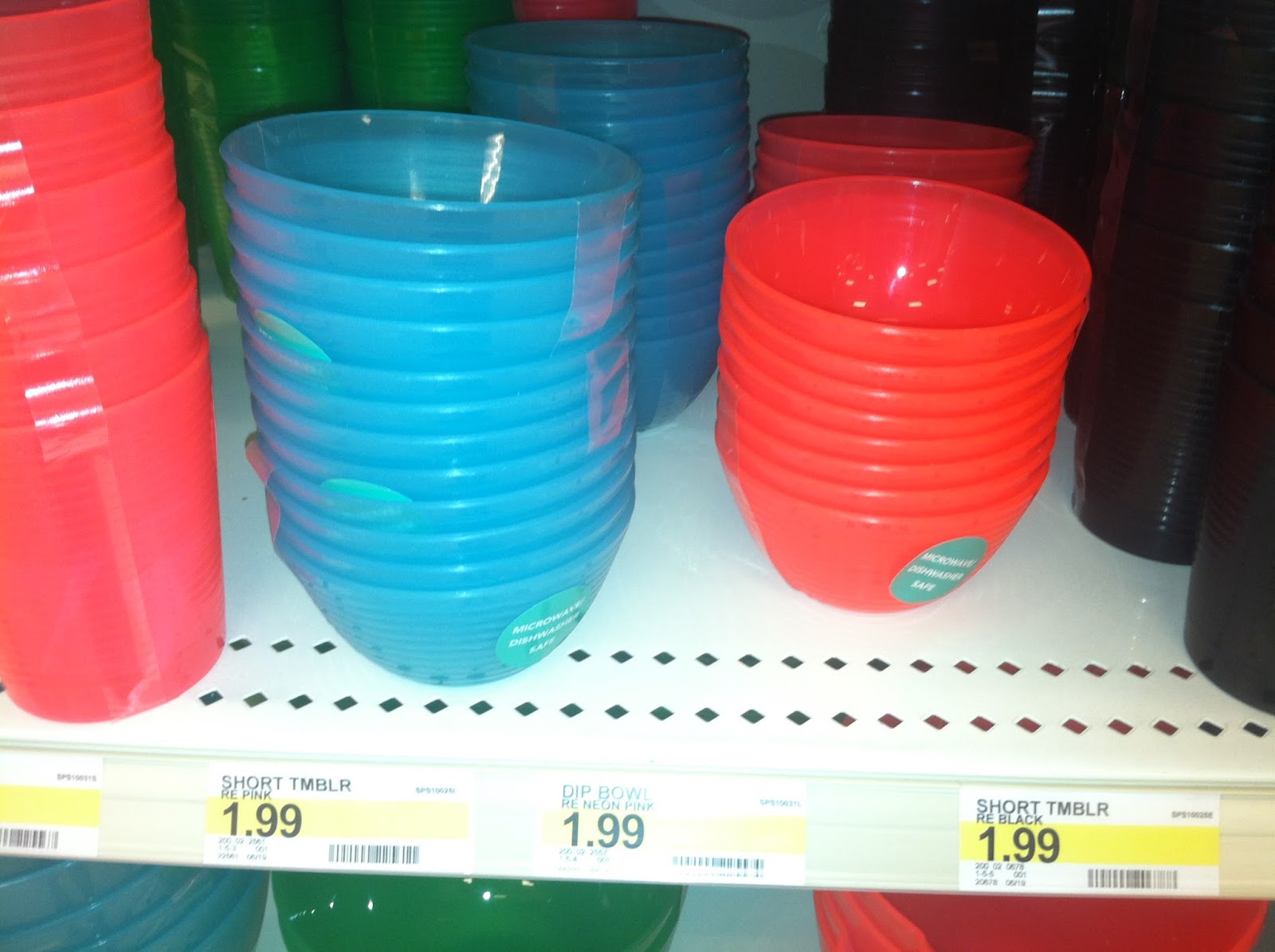
Here's what I have been scouting out over the past two weeks. The little bowls are great for quick sorting, math, fine motor and science projects. I couldn't get enough of them when I was a deafblind teacher. They are the perfect size!


 You can never get enough baskets for calendar box systems, organization, sorting, counting or small finished boxes for all over the school. These were in the dollar section at Target!
They also had some larger bins that I thought had good potential. 

Happy Target times!

My Recent Fave Pins on Pinterest: Back to School

Hi Friends,I know that not everyone uses Pinterest so as promised, here are some of my fave pins that I have recently pinned. The time is fast approaching for back to school prep. That can be dreadful for everyone if you are getting a new team, new classroom or new school. Well turn that frown upside down and let's take on the new challenge!

First, start with home. Organized work space for getting out the door always helps any child. Check out this idea:

http://www.creativemamaonadime.com/2013/01/when-bookshelf-isnt-just-bookshelf.html

Now, depending on how much space (or kids) you have, this could be a shared storage or you can give your kiddo with the vision impairment their own "organization mudroom". Did you notice the lights above? Perfect for that kid that needs some extra light. This mom has the baskets for mittens and hats but are you thinking what I am thinking? Those could be schedule boxes for kids that need calendar box systems!! You could even add a hook on the outside for your child to hang their cane. I think this whole mudroom idea is just brilliant and it's perfect for taking on a new routine for a new school year!
How about the recent high school graduate that's going off to college?


A great ECC present to kick off using kitchen and cooking skills!! Put some Braille labels and a double spatula in it and you are golden :)
Is there another parent out there that has to have everyone eat in the car on the way to school? I loved this idea for keeping our kids organized when on the go!


http://amy-newnostalgia.blogspot.com/2011/12/26-tips-and-tricks-to-simplify-life.html

Sunday, August 4, 2013

Amazing iPhone app!


Hey friends, 
Last Friday I got an email from one of my fave TVIs, Kate Katulak, about an amazing iPhone app. Kate is blind herself so she knows first hand about what's gonna work and not work with technology. She sent us this email and as soon as I finished reading it, I immediately asked her if I could blog what she emailed. She said YES and we all benefit!

From Kate:
Hi all,
Over the 12 years I’ve been blind I’ve discovered a handful of accommodations that have been life changing for me to some degree—my cane and guide dog, accessible computers, my iPhone, and now the Tap Tap See application.

Tap Tap See is an iDevice application designed for people with visual impairments that describes (with incredible accuracy and detail) people and objects at the snap of the camera. Since yesterday when I downloaded the app, it has described such things as:

· The menu (with prices) at a restaurant and the amount of my final bill
· The brand name and item title of several products around my home
· The prints, color, style, and shape of much of my wardrobe
· My “black Labrador retriever service animal with harness”

Not impressed yet? Imagine my colleagues surprise when I complimented the “blue and white striped sleeveless shirt with a collar” she was wearing after I took a quick pic of her with the app (it even told me she was female!).

Some of you I’m emailing because you or someone you know might benefit from the application as I have. Others I’m emailing because this is incredibly cool and I think you’ll appreciate hearing about it. J

For more information visit
https://itunes.apple.com/us/app/taptapsee-blind-visually-impaired/id567635020?mt=8
Though I don’t feel this video quite does the application justice, here is a link to watch someone using it
http://www.youtube.com/watch?v=Cd4SPDUfJ-A (Robbin embedded the video to this post).
Enjoy!
Kate